Can Earbuds Connect to Two Devices at Once? Multipoint Explained
The Meeting Starts And The Audio Is On The Wrong Device
The scenario repeats in every home office. Music is playing from the laptop, a call comes in on the phone, and the next thirty seconds go to a Bluetooth menu instead of a greeting.
Some headsets handle this without any input from you. Others force a disconnect and re-pair every single time, and the product page rarely makes the difference obvious.
The feature that separates them is multipoint, and the marketing around it is unusually vague. Terms like “dual connection”, “smart switching”, and “seamless pairing” appear on boxes describing three different behaviours.
This guide untangles the terms, sets out what each approach can and cannot do, and lists what to check before buying. The short answer is that many current headsets do it, but not in the way most buyers assume.
Two Live Links, Not Two Saved Ones

Every Bluetooth headset remembers multiple devices. That pairing memory is why your earbuds reconnect to a phone they last saw a week ago, and it is not multipoint.
Multipoint means two connections stay open simultaneously. The headset holds an active link to a laptop and an active link to a phone, then routes audio to whichever one starts playing.
The practical test is simple. If a call rings on the phone while the laptop plays video and the earbuds answer it without a menu, you have multipoint.
Everything else is a switching convenience of some kind. Those conveniences are genuinely useful, though they carry restrictions that catch people out at the wrong moment.
Five Ways To Run Two Devices

The table below compares the realistic approaches on the points that matter during a workday rather than on marketing labels.
| Approach | Works across brands | Switching speed | Typical catch | Best for |
|---|---|---|---|---|
| True multipoint | Yes, vendor-neutral | Automatic, near instant | Codec may drop during calls | A Windows laptop plus any phone |
| Apple automatic switching | Apple devices on one iCloud account only | Automatic, occasionally hesitant | Non-Apple devices excluded | An all-Apple household |
| Google Fast Pair switching | Android devices on one Google account | Automatic on supported models | Support varies by headset and phone | An all-Android setup |
| Manual re-pairing | Yes, any device | Slow, several taps | Interrupts whatever is playing | Occasional second-device use |
| USB Bluetooth dongle | Yes, treats the dongle as one device | Instant on the dongle side | Occupies a port, extra hardware | Gaming headsets and locked-down work laptops |
Read the third column before the first. Automatic switching sounds decisive on a spec sheet and still hesitates for a second or two while the link renegotiates.
Read the catch column before buying anything. Codec behaviour under multipoint surprises people who bought a headset specifically for sound quality, and the fix is usually a toggle in the companion app.
Which Earbuds Actually Document Multipoint
Approaches are useful, but the search that brings most people here is simpler: which earbuds do this. The table below lists model families whose manufacturers state multipoint support in their own documentation, as of 2026.
| Model family | Simultaneous devices | Works with a Windows laptop | Notes worth checking |
|---|---|---|---|
| Technics EAH-AZ80 | Three | Yes | The unusual one. Three live links instead of two suits a phone, laptop and tablet desk |
| Sony WF-1000XM5 | Two | Yes | Toggle lives in the Sound Connect app, and enabling it disables the highest-quality codec |
| Bose QuietComfort Ultra Earbuds | Two | Yes | Managed in the Bose app, which also exposes the switching behaviour |
| Sennheiser Momentum True Wireless 4 | Two | Yes | Vendor-neutral, so a Mac and an Android phone pair together fine |
| Jabra Elite and Evolve2 lines | Two | Yes | Business-focused models were early adopters and pair it with better microphones |
| Google Pixel Buds Pro 2 | Two | Yes | Standard multipoint alongside Fast Pair, so it is not Android-only |
| Anker Soundcore Liberty 4 NC | Two | Yes | The budget tier where the feature has now landed |
| Apple AirPods Pro | None | No | Automatic switching inside iCloud only, which is not multipoint |
| Samsung Galaxy Buds | Ecosystem-first | Verify per model | Auto Switch targets Galaxy devices, so confirm behaviour with a non-Samsung laptop |
Two entries do the most work here. Technics is the answer when two slots are not enough.
The AirPods row answers a question people ask without realising it. An ecosystem feature and true multipoint read identically in marketing copy, then behave nothing alike at a Windows desk.
Treat the table as a shortlist rather than a specification. Support is decided by the exact generation, so confirm the feature by name on the manufacturer’s own product page for your model number before ordering, and check current pricing there too. Our multipoint vs automatic device switching guide sets out the distinction in more detail.
Over-Ear Headphones Hold The Link More Easily
Plenty of people arrive at this question with earbuds in mind and end up better served by a headband. Over-ear models carry larger batteries and larger antennas, and the business-focused lines have supported two live links for years.
| Model family | Simultaneous devices | Works with a Windows laptop | Notes worth checking |
|---|---|---|---|
| Sony WH-1000XM5 and XM6 | Two | Yes | Same trade-off as the earbuds. Enabling multipoint disables the top codec |
| Bose QuietComfort Ultra Headphones | Two | Yes | Toggle sits in the Bose app next to the listening modes |
| Sennheiser Momentum 4 Wireless | Two | Yes | Vendor-neutral pairing, so a Mac and an Android phone coexist |
| Jabra Evolve2 65 and 85 | Two | Yes | Certified for the main meeting platforms, and ships with a dongle on some variants |
| Apple AirPods Max | None | No | iCloud switching only, which behaves nothing like multipoint at a work desk |
The dongle line matters more than it looks. A headset bundled with a USB receiver treats that receiver as one of its two devices, which is often the only reliable route on a locked-down work laptop.
Battery headroom is the quieter advantage. Google rates the Pixel Buds Pro 2 at up to 8 hours with cancellation on, or up to 30 hours with the case, and that is the budget two live links draw from. Holding two links open costs power, and a headband with a much larger cell absorbs that cost without changing your charging routine.
Priority Rules Decide What Interrupts What
Holding two links open raises a question the headset has to answer constantly. When both devices want to make sound, which one wins?
Most headsets give phone calls the highest priority. A call on the phone will interrupt laptop audio, and the laptop regains the stream when the call ends.
The reverse rarely holds. Starting a video call on the laptop while music plays on the phone often does nothing until you pause the phone manually, which feels broken but is the designed behaviour.
Companion apps sometimes expose these rules and sometimes hide them entirely. Check the app before assuming the headset is faulty, since a priority setting explains most of the odd cases people report.
The Codec Trade-Off Nobody Mentions
Two active connections share one radio and one power budget. Something has to give, and it is usually the codec.
Many headsets drop to a basic codec while a second link is live, particularly during calls. Speech stays clear while music loses definition, which matters if you bought the headset for listening rather than meetings. LE Audio’s LC3 should ease that squeeze in time, since the Bluetooth SIG says listening tests put it ahead of SBC at a 50% lower bit rate.
Battery life takes a smaller hit. Expect a modest reduction rather than a dramatic one, though the exact figure depends on the model and how often it switches.
There is a clean workaround. Turn multipoint off in the app when you want a critical listening session, then turn it back on for the workday. Our Bluetooth codecs explained guide covers what each codec actually changes.
What To Check On The Product Page
Search the specification page for the word multipoint rather than trusting the marketing headline. Vendors that support it name it explicitly, and vendors that do not tend to use softer phrases.
Check the number of simultaneous connections. Two is standard, three appears on some business-focused headsets, and “multiple paired devices” is a phrase that describes pairing memory instead.
Match the model number exactly. Manufacturers frequently ship a feature on one generation and not on the previous one, and retail listings mix generations under a single product name.
Look for a companion app with a multipoint toggle. The toggle signals both that the feature exists and that you can disable it when the codec trade-off bothers you.
Confirm support on the manufacturer’s own site rather than a retailer listing. Sony documents the feature per model on its own product pages, and other brands follow the same pattern. Bose’s spec page for the QuietComfort Ultra Earbuds, for instance, states Bluetooth 5.3 and a range of up to 30 feet (9 meters).
The Operating System Gets A Vote Too
Most guides stop at the headset, which is why a pair with confirmed multipoint can still misbehave on a work laptop. The computer decides how it presents the headset, and Windows presents it as two separate audio devices.
One is the stereo endpoint used for music and video, running the high-bandwidth A2DP profile. The other is the hands-free endpoint used for calls, running HFP, which reserves bandwidth for the microphone and drops the playback quality noticeably.
Windows switches between them automatically whenever an application opens the microphone. That is why joining a meeting makes the same headset sound thin and slightly compressed, and it is not a fault in the earbuds or in multipoint.
Layer multipoint on top and the effect compounds. The laptop is already asking for the constrained profile, the phone link is still live, and the headset is now serving two demands from one radio.
The practical fix is to separate the jobs. In Windows sound settings, set the meeting application to use the laptop’s own microphone and keep the earbuds on the stereo endpoint, or disable the hands-free endpoint entirely when you do not need it.
macOS behaves differently, exposing one device and handling the profile change with less disruption. Apple’s automatic switching is still not multipoint, so a Windows work machine alongside a Mac remains a genuine multipoint case.
Android routes per application and generally leaves the headset alone. Its Fast Pair audio switching needs both devices signed into the same Google account and an explicitly supported headset, which is narrower than the feature name suggests.
Linux and ChromeOS split the profiles the same way Windows does, exposing the choice through the audio server rather than hiding it. That visibility makes the behaviour easier to diagnose once you know the two profiles exist.
The First Ten Minutes With A New Pair
Test switching before the return window matters, not during a real meeting. Play music from the laptop, then ring the phone from another line and listen for whether the audio moves without a menu.
Reverse the test next, because the reverse case is the one that usually fails. Start a browser video call on the laptop while the phone plays music and see whether anything happens at all.
Check the codec indicator in the companion app during both tests. If it drops the moment the second link becomes active, you now know the trade-off in advance rather than discovering it during a listening session.
Re-run the same two tests after the first firmware update. The second link dropping silently after an update is common enough that it is worth building the habit.
Where It Still Goes Wrong
Assuming an ecosystem feature is multipoint is the most common error. Apple’s automatic switching is excellent inside Apple’s own world and does nothing for a work laptop running Windows.
Expecting a firmware update to add it is the second. Multipoint depends on the chipset, so a model without capable hardware will not gain it later regardless of how many updates arrive.
Forgetting that a firmware update can silently drop the second link is the frustrating one. If switching stops working after an update, re-pair both devices before concluding the hardware failed.
Pairing the same headset to three devices and expecting all three to stay live catches out people with a tablet. Two is the usual limit, and the third connection quietly displaces one of the others.
Buying a dongle without checking port availability is the small planning error. A slim laptop with two ports gives one to the dock and one to power, which leaves nothing for the dongle.
Which Setup Fits Your Desk And Commute
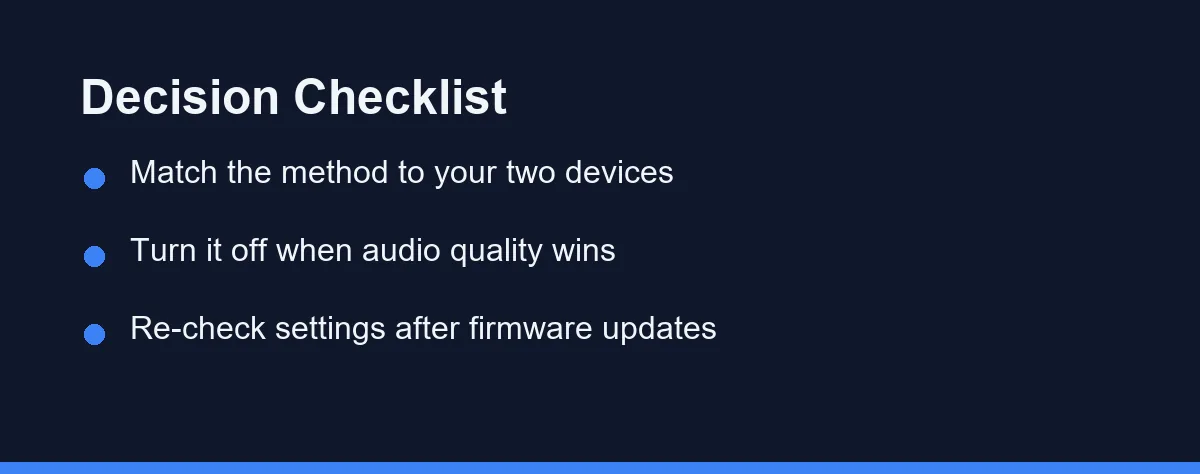
The hybrid worker on a Windows laptop and an Android phone: True multipoint is the only approach that covers both. Confirm it by name on the specification page for your exact model.
The all-Apple household: Automatic switching already handles this, so multipoint is not a reason to change headsets. Sign both devices into the same iCloud account and the behaviour follows.
The commuter who mostly listens to music: Consider leaving multipoint off. Codec stability on a single link matters more than switching when the second device rarely makes a sound. Our best earbuds for phone calls guide covers the voice side of that trade-off.
The remote worker living in video calls: Prioritise a headset with a companion app that exposes priority rules. Meeting audio failing over to the wrong device is the specific problem worth paying to avoid.
The gamer who also takes calls: A dongle on the console or PC plus multipoint to the phone is the reliable pairing. Latency on the game side rules out standard Bluetooth for most people.
The frequent traveller: Check whether the model keeps multipoint active while connected to an in-flight adapter. Some headsets treat a wired or transmitter link as one of the two slots.
What To Expect On Cost
Multipoint has moved down the price ladder and now appears well below the flagship tier. Confirm current pricing on the manufacturer or retailer site rather than treating the feature as a premium marker.
The pattern worth knowing is that business-oriented headsets adopted it earliest. Models aimed at office use often support it alongside better microphones, which is a sensible pairing for the same buyer.
Weigh it against the features you use daily. Active noise cancelling and call clarity affect more hours than switching does for most people, and a headset that nails those with manual re-pairing may still be the better buy.
Judge the cost across the life of the headset. Three years of not hunting through Bluetooth menus is worth a modest premium, and the feature does not degrade the way a battery does.
Check The Spec Sheet, Not The Slogan
Two devices at once is normal in 2026, though the word on the box decides whether it works across brands or only inside one ecosystem.
Look for multipoint by name, confirm the exact model number, and open the companion app to find the priority and toggle settings. Those three checks answer the question the product page usually dodges.
Accept the codec trade-off as the price of convenience, and turn the feature off for critical listening. Verify current specifications on the manufacturer’s official page before ordering, since support varies between generations sold under the same name.
FAQ
What is the difference between multipoint and simply pairing several devices?
Multipoint keeps two active connections open at the same time, so either device can grab the audio without re-pairing. Pairing memory is different and far more common. It stores several devices but connects to one, which is why a laptop call still means digging through a Bluetooth menu.
Can a firmware update add multipoint to earbuds that lack it?
Usually not. Multipoint depends on the Bluetooth chipset and firmware, so a model without it will not gain it later. Some manufacturers do ship it in a firmware update for models built on capable hardware, which is why checking the support notes for your exact model number is worth a minute.
Do AirPods and Fast Pair earbuds already do this?
Apple devices signed into the same iCloud account hand AirPods between them automatically, and Google Fast Pair does something similar across Android devices on one account. Both work within their own ecosystem. Standard multipoint is vendor-neutral, which is what a Windows laptop and an Android phone need.
Does multipoint hurt battery life or sound quality?
Two active links share the same radio, so a small drop in battery life and occasional codec downgrades are normal. Many headsets fall back to a basic codec when a call comes in on the second device. Turning multipoint off in the app is the standard fix when audio quality on one device matters most.
My earbuds have multipoint but keep missing calls, why?
Check the priority rules first, since most headsets let a phone call interrupt laptop audio but not the reverse. Then confirm both devices are actually connected rather than merely paired, because the second link silently drops after a firmware update more often than people expect.
Which earbuds can connect to three devices at once?
Two is the standard limit across almost every brand. The Technics EAH-AZ80 is the notable exception, holding three live connections, which is why it keeps appearing in recommendations for a phone, laptop and tablet on one desk. On any other model, connecting a third device quietly displaces one of the first two.
Can earbuds stay connected to a phone and a TV at the same time?
Usually not, because most televisions transmit on their own terms and count as a demanding second link. Multipoint holds the phone and the TV together only if the TV supports standard Bluetooth audio output, and many sets pair with a single device at a time. A small transmitter plugged into the TV is the dependable route.
Sources
- Bluetooth SIG: Technology Overview — checked 2026-09-20
- FTC: Securing Your Internet-Connected Devices at Home — checked 2026-09-20
- Google: Compare Pixel Buds — checked 2026-09-20
- Bluetooth SIG: LE Audio — checked 2026-09-20
- Bose: QuietComfort Ultra Earbuds product specifications — checked 2026-09-20
Some links may be affiliate links. We may earn a commission at no extra cost to you.
How this article was made: it was drafted with AI assistance from the official sources listed above, and its figures were checked against those pages on the dates shown. It is not based on personal hands-on testing.
Comments
Post a Comment