E Ink vs LCD for Reading: What the Difference Means in Practice
The Tablet You Stopped Reading On
Plenty of people own a perfectly good tablet and still buy an e-reader. The tablet does everything, which turns out to be the problem, and the reading it was bought for happens somewhere else.
Some of that is about notifications. A meaningful part of it is the screen itself, because the two technologies present a page in opposite ways.
Understanding that difference makes the buying decision straightforward. It also explains why the same person can find one device restful and the other tiring at the same brightness.
The Answer in Three Lines
Choose E Ink if you mostly read novels, read outdoors, or want a device that lasts weeks between charges. Choose an LCD or OLED tablet if you read magazines, comics, technical PDFs, or anything in color.
Choose a tablet you already own before buying anything. The upgrade is real for heavy readers and marginal for someone finishing four books a year.
There is no third answer that gets both. Color E Ink exists, and it trades brightness and saturation for the paper-like quality people buy E Ink to get.
Two Completely Different Ways to Make a Page
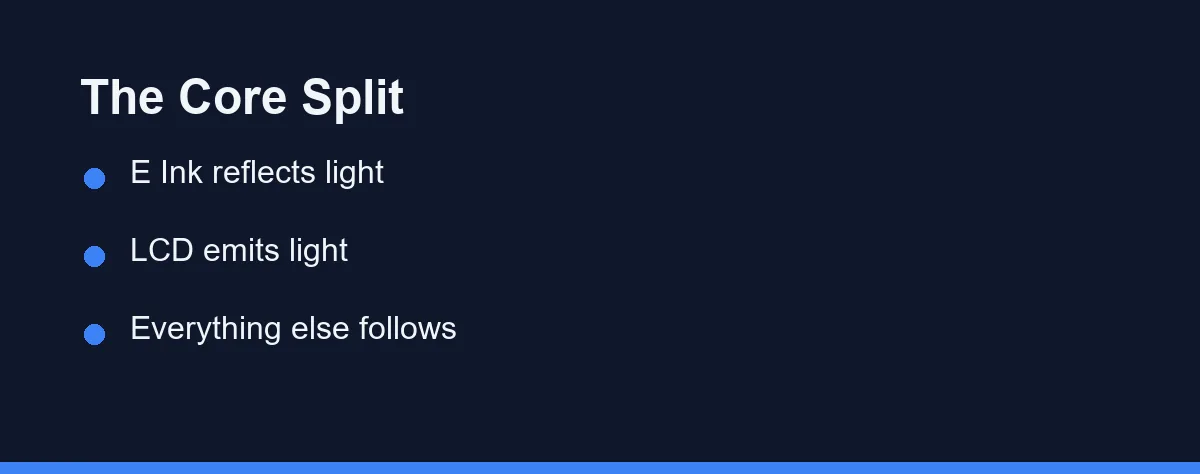
An E Ink panel contains microcapsules of light and dark pigment. Electrical charge moves those particles to the surface, and the page you see is room light bouncing off them, exactly as it bounces off paper.
An LCD or OLED panel produces its own light. A backlight or self-lit pixels send illumination through or from the display toward your eyes, which is what makes a photograph look vivid on one and flat on the other.
That difference cascades into everything else. Reflective screens gain contrast in bright light and lose it in darkness, and emissive screens do the reverse.
Modern e-readers add a front light for dark rooms. It sits at the edge and shines across the surface rather than out at you, and many models now include a warm amber option.
Why the Battery Numbers Are So Far Apart
E Ink is bistable, which means the image stays put with no power applied. Once the page is drawn, holding it there costs nothing at all.
Power gets used only when the page changes, plus whatever the front light and wireless radio consume. This is why manufacturers quote weeks of use and mean it, provided the light stays low. Kobo rates the Clara BW at up to 53 days from a 1500 mAh cell. That figure assumes 30 minutes of reading a day at 10% front-light brightness with the radios off.
A backlit tablet refreshes its image dozens of times per second whether or not anything moved. The backlight alone accounts for a large share of the drain, and hours rather than weeks is the honest expectation.
For travel, that gap matters more than any other specification. A reader charged before a two-week trip generally comes home still working.
The Eye Comfort Question, Answered Honestly
The common claim is that E Ink is better for your eyes because it emits no blue light. That is partly true and considerably oversimplified. The American Academy of Ophthalmology is blunt that long sessions on a screen do not permanently damage your eyes, however tired they feel.
A reflective screen does match the light in the room, holds a completely static image, and has no flicker to speak of. Those three properties plausibly explain why many people report less fatigue during long sessions.
The evidence linking blue light specifically to eye strain is weaker than the marketing implies, and studies on blue-light filtering glasses have found limited benefit. Reduced blinking, screen brightness against room brightness, and reading distance all appear to matter more. The Academy puts normal blinking near 15 times a minute against only 5 to 7 at a computer. It also suggests sitting about 25 inches from the screen, roughly arm’s length.
Sleep is a separate question from strain. Light exposure in the evening can affect the body clock, so a dim, warm front light or an unlit page is the sensible evening setup on either device.
If a tablet feels tiring, try matching brightness to the room and taking breaks before concluding the panel is at fault. That costs nothing and resolves a good share of complaints.
Where Each Screen Wins

The right comparison is per content type, since neither wins everywhere.
| Screen type | How the image works | Sunlight | Typical battery | Best content |
|---|---|---|---|---|
| E Ink monochrome | Reflects room light, bistable | Excellent, improves outdoors | Weeks | Novels, long-form text |
| E Ink color | Color filter over pigment | Good, muted colors | Weeks | Highlighting, light comics |
| LCD tablet | Backlight through liquid crystal | Fair, needs high brightness | Hours | Magazines, PDFs, web |
| OLED tablet or phone | Self-lit pixels | Fair, strong contrast indoors | Hours | Comics, video, mixed use |
| Large E Ink writing tablet | Reflects room light, bistable | Excellent | Days to weeks | Annotating PDFs, notes |
| Phone screen | Self-lit, small | Fair | Hours | Short sessions, queues |
The row that surprises people is color E Ink. It is genuinely useful for highlights and covers, and it looks muted next to any backlit screen because the color filter sits over a reflective layer.
Screen size decides the PDF question more than technology does. A fixed-layout page shrunk to a small display needs zooming and panning, and that is slow on E Ink regardless of how good the panel is.
What You Give Up With E Ink
Refresh speed is the first compromise. Page turns take a moment, scrolling is unpleasant, and faint traces of the previous page can linger until a full refresh clears them.
The app ecosystem is the second. Most readers run a limited store and a browser that technically works, and anyone expecting tablet flexibility will be disappointed.
Color and photography are the third. Even the better color panels look washed out beside an ordinary tablet, which matters for cookbooks, art books, and graphic novels.
Price per capability is the fourth. A basic tablet often costs less than a mid-range e-reader while doing far more, and you are paying specifically for the reading experience.
The Specifications That Actually Change Reading
Five details separate a device you enjoy from one that sits in a drawer, and none of them lead the marketing.
Text sharpness comes first. Around three hundred pixels per inch has become the standard for text on e-readers, and cheaper panels below that make small fonts look slightly soft. Kobo lists a 1448 x 1072 panel on the 6-inch Clara BW, so read the resolution rather than the marketing.
Front light quality comes second. Even coverage across the page matters more than maximum brightness, and an adjustable warm tone is worth having for evening reading.
Water resistance comes third if you read in the bath or by a pool. Rated protection is common on mid-range readers and rare on budget ones, so check the rating rather than assuming. Kobo states the Clara BW meets IPX8, waterproof for up to 60 minutes in up to 2 metres of water.
Physical page-turn buttons come fourth, and people either need them or never think about them. One-handed reading in bed is the situation where they justify the extra cost.
Storage comes last for most readers, since text files are tiny. It matters if you keep large PDF libraries or audiobooks on the device.
Where Your Books Are Allowed to Live
Format lock-in shapes the experience more than any panel specification, and it is the part buyers investigate last.
Every major ecosystem uses its own store and its own copy protection. Books bought in one store generally stay there, so the account you choose is a longer commitment than the hardware.
Public library borrowing works on both kinds of device through apps and integrations, with availability varying by country and library system. Check that your local library service supports the device you are considering before you buy it.
Personal files are the other half of the question. Most readers accept documents sent by email or transferred over a cable, and formatting quality varies enough that it is worth testing with a file you care about.
A tablet sidesteps the whole issue by running every reading app at once. That flexibility is the strongest argument for reading on hardware you already own.
Which Screen Fits the Way You Read
The commuter who finishes a novel a week: E Ink, in the smallest size that fits your hand. Weeks of battery and glare-free reading on a sunny platform are the whole point.
The student working through textbooks and papers: A tablet, or a large E Ink writing device if annotation matters more than color. Small readers handle fixed-layout PDFs poorly, and that is the most common expensive mistake in this category.
The reader who reads in bed beside a sleeping partner: E Ink with a warm front light at minimum brightness. The light spills far less than a tablet held at the same distance.
The comics and magazine reader: A tablet without hesitation. Color and refresh speed are the entire experience here, and color E Ink is not close yet.
Someone who is not sure reading will stick: Use the tablet or phone you already own for a month. If you finish three books and want fewer distractions, then the dedicated device earns its place.
The outdoor reader, on a beach or in a garden: E Ink again, since a reflective screen gets easier to read as light increases. Bring a case, because sand and heat are harder on these devices than reading is.
Decide by Content, Not by Specification
Look at what you actually read this year rather than what you plan to read. Reflowable text points to E Ink, and anything fixed-layout or colorful points to a tablet.
Then pick size before brand. A screen that fits your reading position gets used, and one that needs two hands on a commute does not.
Once the format is settled, the device choice narrows quickly. Our Kindle versus Kobo comparison covers the two main e-reader ecosystems, and our tablet picks cover the other side if color and apps matter more than battery life.
FAQ
What is the difference between an E Ink screen and an LCD screen?
The difference between E Ink and LCD is where the light comes from. E Ink reflects room light off tiny pigment particles, like paper, while an LCD or OLED shines light out at you. That one distinction explains the battery life, the sunlight behavior, and the slower page turns.
Is E Ink actually better for your eyes than a tablet screen?
Many readers find it more comfortable, mainly because a reflective screen matches the surrounding light and holds a steady image. The research on blue light and eye strain is more mixed than the marketing suggests, and habits such as blinking, breaks, and brightness matter at least as much as the panel.
Why does an e-reader battery last weeks and a tablet only hours?
E Ink panels only draw power when the image changes, so a page of text costs nothing to keep on screen. A backlit display refreshes continuously and lights every pixel, which is why one device lasts weeks and the other lasts hours.
Can you read PDFs and textbooks on a small E Ink reader?
Poorly, and this is the most common regret. Fixed-layout PDFs and technical diagrams need panning and zooming that E Ink refreshes handle slowly, so a larger E Ink device or a tablet suits that reading far better.
How much should you spend on an e-reader?
E Ink readers span basic models to large writing tablets, and color panels sit at the top of the range. Confirm current pricing on the official site of any device you shortlist, at the time of writing, since this category discounts heavily around sales events.
Sources
- American Academy of Ophthalmology: Computers and Eye Strain — checked 2026-09-20
- Kobo: Clara BW specifications — checked 2026-09-20
Some links may be affiliate links. We may earn a commission at no extra cost to you.
How this article was made: it was drafted with AI assistance from the official sources listed above, and its figures were checked against those pages on the dates shown. It is not based on personal hands-on testing.
Comments
Post a Comment