Do You Need an LTE Smartwatch, or Is Bluetooth Enough?
The Question Nobody Answers at the Counter
Most desk-bound buyers should pick the Bluetooth-only model, since the phone is within reach for nearly every waking hour. If you train, swim, or walk the dog without a phone, or you are buying for a child or an older relative, cellular is worth the premium.
Every smartwatch line splits into two versions on the shelf. One talks to your phone, the other talks to a cell tower, and the second one costs more twice over.
The extra hardware price is visible. The monthly carrier add-on is the part buyers discover later, along with the discovery that their watch plan does not roam abroad.
Sales staff rarely frame the choice usefully. They describe what cellular can do rather than how many hours a week you actually spend away from your phone.
This guide reframes it around that number, then shows how Apple, Samsung, Google, and Garmin each define cellular differently.
The Honest Answer for Most Buyers

Count the hours you are genuinely phone-free and outdoors. For most desk-bound owners that figure lands somewhere near zero, and cellular becomes a feature you pay for monthly without using.
The people who benefit share one pattern. They leave the phone behind on purpose, whether for a run, a swim, a dog walk, or a shift where pockets are impractical.
Wi-Fi quietly covers a large slice of the remaining cases. A watch on a known home or office network still receives messages, calls on some platforms, and app data without any cellular plan.
The hardware decision and the plan decision are also separable. Buying the cellular model and leaving it unactivated costs more once and keeps the door open.
What Cellular Actually Adds
Calls and messages without the phone are the headline. The watch shares your number through the carrier, so people reach you on the same contact details.
Live data follows: maps, transit times, weather, ride hailing, and payment confirmations all keep working while the phone sits at home. Streaming music is the heaviest of these and the most battery-hungry. Apple’s own figures put workout tracking at up to 10 hours on a Series watch and up to 18 hours on the Ultra.
Safety features gain the most. Fall detection and emergency calling need a network, and a watch that cannot reach one has to wait for your phone to come back into range.
Location sharing rounds out the list. Family or training partners can follow a live track without the phone that usually reports it.
One quieter benefit rarely reaches the marketing material. A cellular watch keeps notifications flowing when the phone dies mid-day, which turns a flat battery into an inconvenience rather than a blackout.
The reverse case matters too. A watch that can call for help works during the exact scenarios where a phone gets lost, soaked, or left in a locker.
What Wi-Fi and Bluetooth Already Cover
A Bluetooth watch is not offline. Within roughly ten metres of the phone it does everything, and beyond that it falls back to saved Wi-Fi networks on most platforms.
Offline music removes the most-cited reason to upgrade. Spotify, Apple Music, and YouTube Music all sync playlists to the watch for phone-free listening.
Downloaded workouts and route files behave the same way. A running watch records GPS, heart rate, and pace with no network at all, then syncs when the phone reappears.
Notifications are the honest gap. Away from Wi-Fi and away from the phone, a Bluetooth-only watch collects your activity data and nothing else.
How the Cellular Options Differ
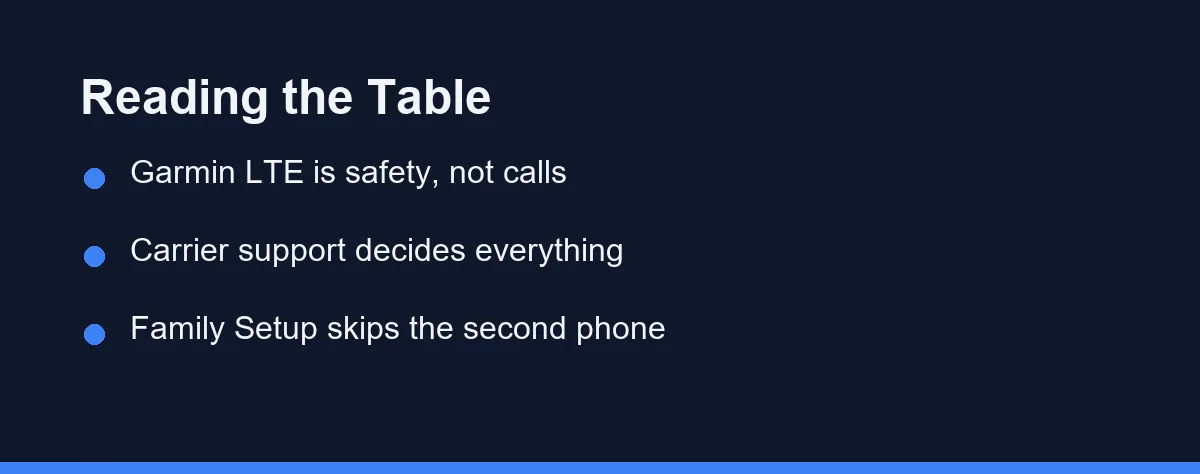
Cellular means different things across brands, and Garmin’s version surprises people most. Samsung sells the Galaxy Watch8 as “Bluetooth / Bluetooth + LTE” with the same 5ATM and IP68 rating either way, so connectivity is the only split. Confirm current plan availability and pricing with your own carrier, since support differs by network and country.
| Model family | What cellular does | Plan setup | Battery impact | Best fit |
|---|---|---|---|---|
| Apple Watch cellular | Calls, messages, apps, streaming, emergency calls | Carrier add-on sharing your iPhone number | Heavy during active LTE use | iPhone owners who train phone-free |
| Apple Watch Family Setup | Full cellular for a watch with no paired iPhone | Separate carrier line | Heavy | Kids and older relatives |
| Galaxy Watch LTE | Calls, messages, apps, streaming | Carrier add-on on a supported network | Heavy during active LTE use | Galaxy owners who leave the phone |
| Pixel Watch LTE | Calls, messages, apps, streaming | Carrier add-on on a supported network | Heavy during active LTE use | Pixel owners who want the same |
| Garmin LTE models | Safety alerts, live tracking, limited messaging | Garmin subscription, not a carrier plan | Modest, since use is intermittent | Runners who want a safety net |
| Bluetooth and Wi-Fi only | Everything within range of phone or Wi-Fi | None | Best battery life of the group | Owners who rarely leave the phone |
Two rows change most purchase decisions. Garmin sells LTE as a safety service rather than a phone replacement, and Family Setup is the only route that gives a watch a life of its own.
If you are still deciding between categories rather than connectivity, our comparison of a smartwatch against a fitness tracker covers that layer first. For platform differences in sport features, see Apple Watch against Garmin.
The Costs That Do Not Appear on the Price Tag
The hardware premium is the smallest part over three years of ownership. A modest monthly add-on outweighs it well before the watch reaches retirement.
Battery life carries a second cost. A watch searching for a signal in weak coverage drains far faster than the same watch sitting quietly on Bluetooth. Samsung rates the Galaxy Watch8 at up to 30 hrs with the always-on display active, and Apple quotes up to 24 hours for a Series watch. Apple also lists 15 minutes of charging for up to 12 hours of extra use, which is the practical fix for a heavy LTE day.
Carrier lock-in adds a third. Watch plans usually require the same carrier as your phone, so switching networks can strand the feature you paid for.
Travel is the quiet disappointment. Watch plans generally lack the roaming agreements that phone plans enjoy, and the details are worth confirming with your carrier before a trip. Apple’s cellular overview page lists supported carriers by country.
Resale value moves the other way. Cellular models hold their price better, which recovers part of the premium when you upgrade.
Setting It Up Without a Support Call
Activation happens in the watch app on your phone rather than at a carrier counter. The app talks to the network, provisions the eSIM, and links the watch to your existing number.
Two moments break that link later. Replacing your phone and switching carriers both require you to reactivate the watch plan, and skipping the step leaves a cellular watch behaving like a Bluetooth one.
Prepaid and low-cost networks are the common blocker. Many resellers ride on a larger network without offering the number-sharing feature that watch plans depend on.
Check three things with your carrier before you pay. Ask whether your plan supports a watch line, whether the watch shares your number, and what happens to the add-on if you upgrade the phone.
Keep the confirmation email. Watch plans sit in a separate billing system at some carriers, and the reference number saves a long call when the line quietly stops working.
Who Should Pay for the Cellular Model

The daily runner or cyclist: This is the clearest yes in the category. Leaving the phone at home changes how training feels, and safety alerts work when they matter.
The office worker with a commute: Skip it. The phone is in your pocket or on the desk for essentially every waking hour.
The parent buying for a child: Cellular is the entire point here, through Family Setup or its Android equivalent. Our guide to smartwatches for kids covers the parental controls that follow.
The swimmer: Cellular rarely helps in water, so buy for water rating and offline music instead. Signal underwater is not a solved problem.
The person with an older relative to check on: Buy cellular and set it up on a separate line. Emergency calling without a phone is the whole reason this configuration exists.
The trail runner in patchy coverage: Consider Garmin’s approach instead of a carrier plan. Safety alerts and live tracking cover the real risk without paying for streaming you cannot use.
Making the Decision Without Regret
Track one week honestly. Note every stretch of thirty minutes or more away from both your phone and Wi-Fi, and count what you missed during those windows.
If that list stays short, buy the Bluetooth model and put the saved money toward a better band or a longer-lasting size. Comfort earns its keep every single day.
If the list is long, buy cellular but delay activation for a month. Living with the watch first tells you whether the gap is real or theoretical.
Watch the second-hand market during that month as well. Cellular models appear there constantly, often from owners who discovered the plan went unused, and the discount reflects their change of mind rather than any fault in the hardware.
Then revisit the plan yearly rather than treating it as permanent. Habits change, jobs change, and a subscription that made sense during marathon training rarely justifies itself afterwards.
Whichever model you keep, the band touches your skin for far longer than the cellular radio ever runs. If a rash appears under the strap, our guide to smartwatch bands for sensitive skin explains why sweat and fit usually matter more than the material.
If the watch is really meant to protect an older relative, cellular settles only half of the decision. Our comparison of smartwatch fall detection and a medical alert device weighs a watch that dials for help against a staffed monitoring service.
FAQ
Do I need a separate mobile plan for an LTE smartwatch?
Almost always yes, because the watch shares your existing number through a carrier add-on rather than working on its own. A few kid-focused setups use a separate line instead. Check your carrier's smartwatch page before buying, since support varies by network and by country.
Does cellular drain a smartwatch battery much faster?
Only when the phone is out of range and the watch actually uses the cellular radio. With the phone in your pocket the watch stays on Bluetooth and the drain is normal. A long run with streaming music over LTE is where the battery figures collapse.
Can I buy a cellular watch and skip the monthly plan?
Yes, and many owners do exactly that. A cellular model works fine as a Bluetooth watch with the plan switched off, so paying once for hardware keeps the option open for later. You lose nothing beyond the higher purchase price.
Will an LTE watch work when I travel to another country?
Usually not, since watch plans rarely roam the way phone plans do. Most travellers fall back to Wi-Fi and their phone abroad. Confirm the roaming rules with your carrier before a trip rather than assuming the watch will connect.
Is Garmin LTE the same as cellular on an Apple Watch?
Garmin's LTE is built for safety and tracking rather than general phone use, so it sends assistance alerts, live location, and limited messages. It does not turn the watch into a phone. Apple, Samsung, and Google take the broader approach with calls and apps.
Sources
- Bluetooth SIG: Technology Overview — checked 2026-09-20
- Samsung: Galaxy Watch8 LTE 44mm specifications — checked 2026-09-20
- Apple: Apple Watch Battery — checked 2026-09-20
Some links may be affiliate links. We may earn a commission at no extra cost to you.
How this article was made: it was drafted with AI assistance from the official sources listed above, and its figures were checked against those pages on the dates shown. It is not based on personal hands-on testing.
Comments
Post a Comment