Apple Watch Sleep Apnea Alerts: What 10 Nights in 30 Days Can Tell You

A Screening Nudge, Not a Diagnosis
An Apple Watch can flag signs of sleep apnea, but it cannot diagnose it. It only checks if you wear it to bed at least 10 nights in 30 days. The feature needs a Series 9 or later, an Ultra 2 or later, or an SE 3. It is meant for adults 18 or older without a diagnosis.
Treat a notification as a reason to book a doctor’s appointment, not as a result. Treat silence with the same caution, since Apple says not everyone with sleep apnea gets an alert.
How the Watch Spots Breathing Disturbances
Sleep apnea is a condition in which breathing stops and restarts many times during sleep. The NHLBI overview of sleep apnea separates obstructive sleep apnea, where the upper airway gets blocked, from central sleep apnea, where the brain does not send the signal to breathe.
The watch does not measure airflow or brain activity. The Apple sleep apnea notifications guide says it uses the accelerometer to look for breathing disturbances while you sleep.
Each night gets a simple label. Breathing disturbances are classed as Elevated or Not Elevated, and you can browse the history for the past month, 6 months or year in the Health app.
A notification arrives only when Elevated nights keep showing up across a 30-day evaluation period. One rough night will not trigger it.
Which Watches and Settings You Need
Hardware comes first. Apple lists Apple Watch Series 9 or later, Apple Watch Ultra 2 or later, and Apple Watch SE 3.
Software comes second. The watch needs the latest watchOS, and the paired iPhone needs the latest iOS.
Sleep tracking has to be on. In the Health app, Sleep must be set up with Track Sleep with Apple Watch turned on. You then open Browse, then Respiratory, and tap Set Up under Sleep Apnea Notifications.
One quirk affects people with two phones. If the iPhone you check is not the one paired to the watch, notifications wait until the primary phone is unlocked and finishes its analysis.
The 30-Day Window and the 10-Night Minimum
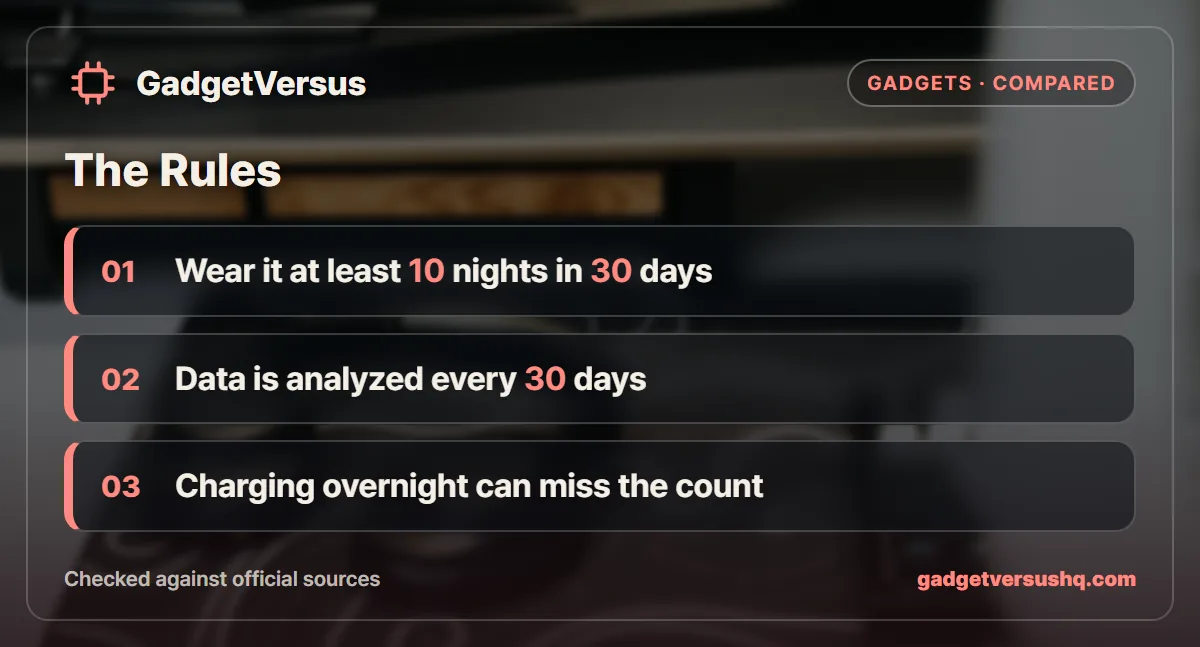
Apple’s rule is short. You must wear the watch to sleep for a minimum of 10 nights over a 30-day period, and your data is analyzed every 30 days.
That timing shapes expectations. If you turn the feature on today, the earliest possible notification comes about a month later, at the first analysis.
Apple’s wording sets a count, not a streak. It asks for 10 nights over the period, which matters for anyone who charges the watch overnight.
Four Wearing Habits Checked Against the Minimum

Charging habits decide whether the watch ever gets enough data. The table below assumes a 30-day window and spreads each habit evenly across it.
| Wearing habit | Calculation | Nights in 30 days | Meets the 10-night minimum |
|---|---|---|---|
| Every night | 30 x 7 / 7 | 30 | Yes |
| Weeknights only | 30 x 5 / 7 | About 21.4 | Yes |
| 3 nights a week | 30 x 3 / 7 | About 12.9 | Yes, with little margin |
| Weekends only | 30 x 2 / 7 | About 8.6 | No |
The figures are rounded at the final step. The weekend-only habit falls short, so a person who charges the watch every weeknight may never get an assessment.
The 3-nights habit passes, but only just. Miss one week to travel or illness and that window can drop to around 9 nights, below the line.
The practical fix is to move charging out of the night. A top-up during a morning shower or at your desk keeps the watch on your wrist when it matters. If battery is the obstacle, our look at how accurate smartwatch sleep tracking is also covers what each sleep metric is worth.
A Watch Alert Next to a Sleep Study
A notification and a sleep study answer different questions. The NHLBI page on sleep studies describes the clinical tests a doctor may order.
| Feature | Apple Watch notification | Sleep study at a sleep center | Activity monitor ordered by a doctor |
|---|---|---|---|
| What it records | Wrist movement linked to breathing disturbances | Brain waves, heart rate, breathing and blood oxygen | How much and how well you sleep |
| Where | Your own bed | A sleep center | Your own bed |
| How long | 10 nights or more in a 30-day window | Usually one night | Several days or sometimes weeks |
| Sensors | The watch on your wrist | Scalp, face, eyelids, chest, limbs and a finger | A wearable device |
| Gives a diagnosis | No | Can help diagnose type and severity | Supports a doctor’s assessment |
| Who starts it | You | Your doctor | Your doctor |
The NHLBI notes that your doctor decides whether you need a test at a sleep center or can do one at home with a portable device. Either way, the decision follows a medical conversation, not a watch setting.
The watch earns its place before that conversation. It watches many nights in a row at home, which is something a single night at a clinic cannot do.
Reading the Breathing Disturbances Chart
You do not have to wait for a notification to see the data. In the Health app, open Browse, then Respiratory, then Breathing Disturbances.
The chart shows each night as Elevated or Not Elevated. Switch between the past month, 6 months and year to see whether elevated nights cluster around a cold, travel or a stressful stretch.
Look for patterns rather than single nights. A steady run of elevated nights says more than one spike after a late dinner.
Screenshots of the yearly view are useful at an appointment. They show a doctor how long a pattern has been there, which a single clinic night cannot.
Making the Watch Comfortable Enough for Bed
The feature fails quietly if the watch stays on the nightstand. Comfort is the main reason people stop wearing it to sleep.
A softer band helps. Fabric or sport loops sit flatter than metal links, and people with irritation can find options in our guide to a smartwatch band for sensitive skin.
Wear it snug but not tight, and turn on a sleep focus so the screen stays dark. A watch that lights up at 3 a.m. gets taken off by the second week.
Things That Push Readings Up
Apple names three things that can raise breathing disturbance readings. They are alcohol, upper respiratory illnesses and some medications.
That matters because the window is a month long. A week with a heavy cold, or a run of late nights out, can tilt a 30-day period toward Elevated.
Altitude is another factor in diagnosis. The NHLBI diagnosis page says doctors may ask whether you recently traveled above 6,000 feet, along with which medicines you take.
If a notification arrives after an unusual month, mention it to your doctor. Context helps them judge whether the pattern is new or long-standing.
Symptoms Worth Raising Even Without an Alert
The watch sees only part of the picture. The NHLBI symptoms page lists signs that a partner, or you, may notice first.
- Breathing that starts and stops during sleep.
- Frequent loud snoring.
- Gasping for air at night.
- Daytime sleepiness and tiredness.
- Headaches, dry mouth, or waking often to urinate.
Any of these deserves a conversation, whatever the watch reports. The NHLBI also notes that untreated sleep apnea raises the risk of stroke, heart attack and other serious problems.
A sleep diary helps that conversation. The NHLBI says a record of your sleep and daytime sleepiness can support diagnosis.
What to Do When a Notification Arrives
Apple’s notification says the watch identified signs of sleep apnea. Apple adds that you can share a detailed report with your healthcare provider.
Book an appointment rather than waiting for a second alert. Bring the report, a note of any illness or alcohol during the month, and a partner’s account of your snoring if you have one.
Keep wearing the watch to bed. The Health app keeps logging breathing disturbances, so the history keeps building while you wait for the appointment.
Do not use the notification to self-treat. Apple is clear that the feature is not intended to diagnose, treat or help manage the condition.
Who Should Turn the Feature On
Adults with a compatible watch and no diagnosis: Turn it on. It costs nothing and watches many nights in a row.
People who charge the watch overnight: Move charging to the morning first. Weekends-only wear gives about 8.6 nights, under the minimum.
Anyone already diagnosed with sleep apnea: Skip it. Apple says the feature is intended for people who have not been diagnosed.
Partners of loud snorers: Encourage a doctor’s visit rather than waiting for the watch. Snoring and gasping are listed symptoms on their own.
Owners of older watches: Check your model first. Series 9, Ultra 2 and SE 3 are the minimum models Apple lists.
Silence Is Not a Clean Bill of Health
The feature is a useful early warning for people who would never think to ask. It is not a test you can pass.
Wear the watch at least 10 nights a month, read any alert as an appointment reminder, and take real symptoms seriously with or without one. For other wrist health alerts, see how ECG and irregular rhythm alerts differ, and why smartwatch blood oxygen readings vary from night to night.
The same 30-day rhythm now applies to blood pressure, with a different sensor and different eligibility rules. Our guide to Apple Watch hypertension notifications explains what that alert can catch and why it never shows a reading.
FAQ
Can an Apple Watch diagnose sleep apnea?
No. Apple states that sleep apnea notifications are not intended to diagnose, treat or help manage sleep apnea. A notification is a prompt to talk to a doctor, who may order a sleep study.
Which Apple Watch models have sleep apnea notifications?
Apple lists Apple Watch Series 9 or later, Apple Watch Ultra 2 or later, and Apple Watch SE 3, running the latest watchOS with an iPhone on the latest iOS.
How many nights does the Apple Watch need to check for sleep apnea?
You need to wear the watch to sleep for at least 10 nights within a 30-day period. Apple analyzes the data every 30 days, so the earliest possible notification comes about a month after setup.
If I never get a notification, does that mean I do not have sleep apnea?
No. Apple says not everyone with sleep apnea will receive a notification. Snoring, gasping or heavy daytime sleepiness are worth raising with a doctor whatever the watch says.
What can make Apple Watch breathing disturbances go up?
Apple names alcohol, upper respiratory illnesses and some medications as things that can raise breathing disturbance readings. A bad cold week can skew a 30-day window.
Sources
- Apple Support: Sleep Apnea Notifications on Your Apple Watch — checked 2026-11-11
- NHLBI: Sleep Apnea — checked 2026-11-11
- NHLBI: Sleep Apnea Symptoms — checked 2026-11-11
- NHLBI: Sleep Apnea Diagnosis — checked 2026-11-11
- NHLBI: Sleep Studies — checked 2026-11-11
Some links may be affiliate links. We may earn a commission at no extra cost to you.
How this article was made: it was drafted with AI assistance from the official sources listed above, and its figures were checked against those pages on the dates shown. It is not based on personal hands-on testing.
Comments
Post a Comment