What Nits Mean on a Screen and How Many You Actually Need
Nits Measure Light Leaving the Screen and Only One Figure Matters Outdoors
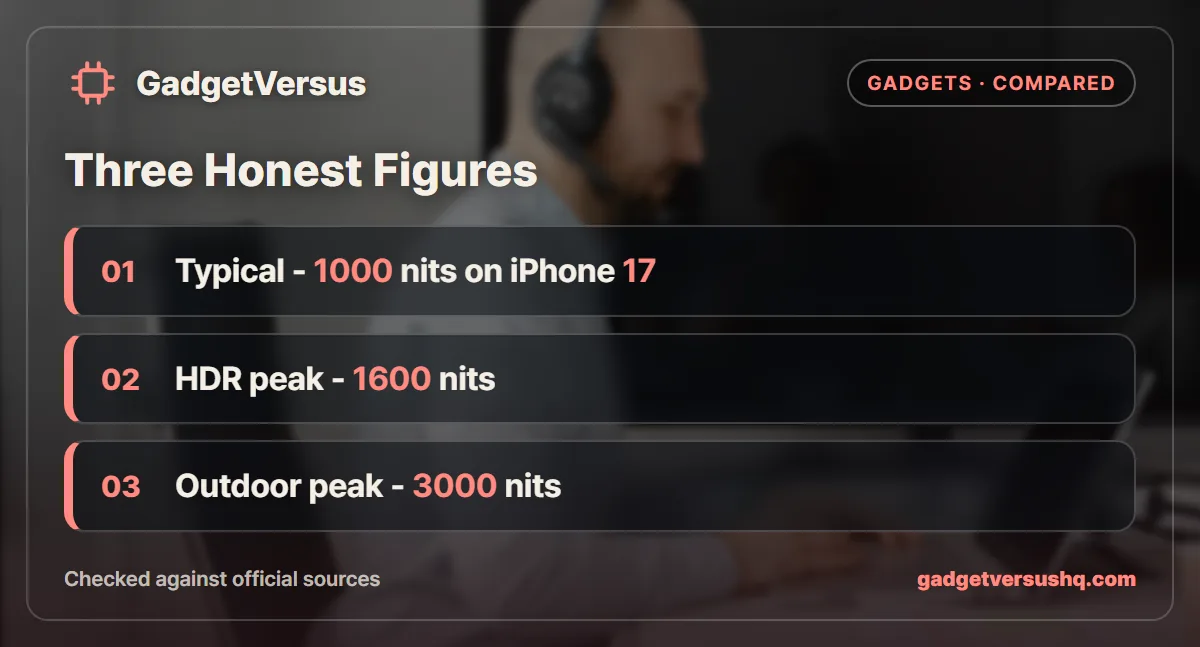
A nit is one candela per square metre, the amount of light a display sends toward your eyes. For most people the typical figure is the one to read indoors, and the huge figures printed on phone boxes only earn their keep in direct sun. Apple lists the iPhone 17 at 1000 nits max brightness typical, 1600 nits peak for HDR, and 3000 nits peak outdoors, as of November 2026.
Same screen, three honest numbers. Working out which one applies to your desk or your commute is the whole skill.
One Panel Can Advertise Three Different Nit Figures Without Lying
Brightness is not a single property of a display. It shifts with how much of the screen is lit, what kind of content is playing, and whether the ambient light sensor has decided you are outside.
Apple splits its own figures into named cases, which makes the pattern easy to see. The iPhone 17 lists 1000 nits typical, 1600 nits for HDR highlights, and 3000 nits outdoors. The Studio Display, a desktop monitor, lists a single 600 nit figure with no tiers at all.
The MacBook Pro spec sheet draws the line differently again. It quotes 1000 nits sustained full screen for XDR content, 1600 nits peak for HDR content only, and up to 1000 nits outdoors for ordinary SDR work. Apple footnotes those figures as applying below 25°C.
Read those labels before you compare two screens. A 3000 nit phone and a 1000 nit laptop are not four times apart in daily use, because the phone figure describes a brief outdoor mode and the laptop figure describes sustained full screen output.
Why Lab Measurements Land Below the Number on the Box
Peak figures usually describe a small bright patch rather than a white page. Light the whole panel and an OLED pulls back to limit heat and wear, so the measured number drops.
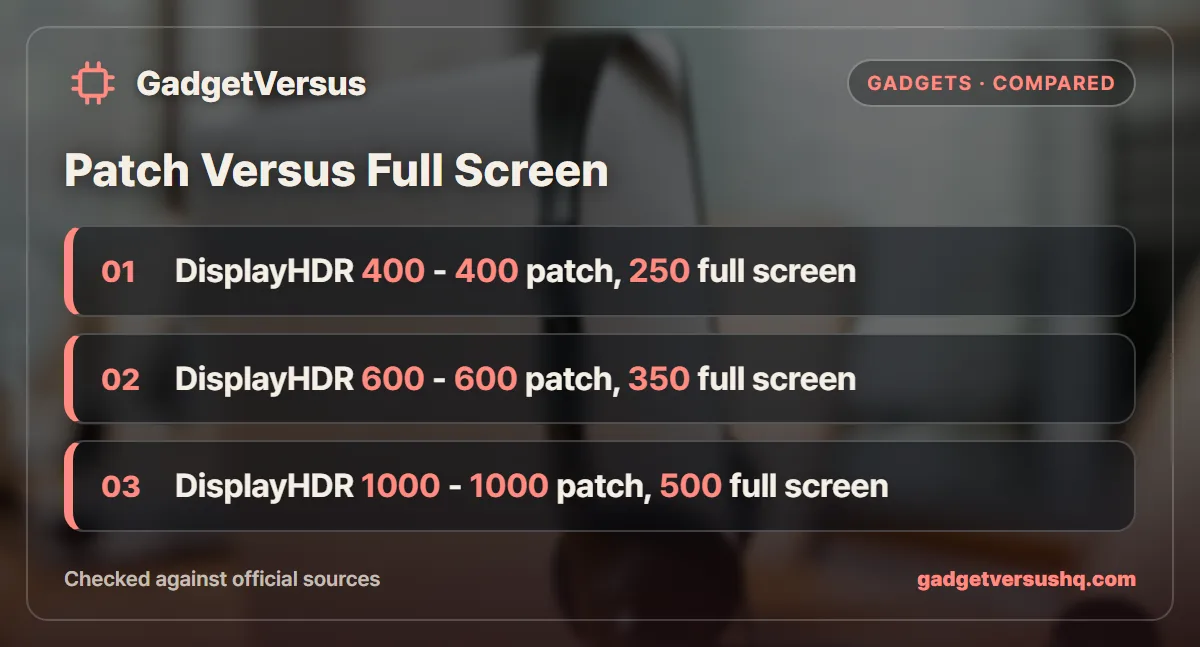
VESA’s DisplayHDR certification writes this gap into its own test rules. A DisplayHDR 400 monitor must reach 400 nits on a centre patch covering 8% of the screen, yet only 250 nits on a full white screen held for a long run.
The higher tiers keep the same shape. DisplayHDR 600 asks for 600 nits on the patch and 350 nits full screen, while DisplayHDR 1000 asks for 1000 nits and 500 nits.
Nothing here is dishonest. Peak, typical, and sustained describe different moments, and a reviewer lighting most of the panel is measuring the full screen case.
The practical lesson is small and useful. A white document is the opposite of a small highlight, so the full screen figure is the one your spreadsheet will actually get.
Matching a Brightness Figure to Where You Actually Sit
Brightness needs follow ambient light, not screen size or price. This table maps common situations to the figure worth checking on a spec sheet.
| Where you use it | Ambient light | What to look for | Which spec line to read | Confirmed example |
|---|---|---|---|---|
| Windowless office or evening desk | Low | Any ordinary typical rating | Typical or SDR brightness | Studio Display lists 600 nits |
| Bright room with side windows | Moderate | A comfortable typical rating | Typical, full screen | iPhone 17 lists 1000 nits typical |
| Desk facing a window | High indoor | A high full screen rating | Sustained full screen, not peak | MacBook Pro lists 1000 nits sustained XDR |
| Outdoors in overcast weather | High | A stated outdoor mode | Outdoor or high brightness mode | MacBook Pro lists up to 1000 nits outdoor SDR |
| Direct summer sunlight | Extreme | The highest outdoor peak | Peak outdoor figure only | iPhone 17 lists 3000 nits peak outdoor |
| Dark bedroom reading | Very low | A low minimum matters more | Minimum brightness | iPhone 17 lists 1 nit minimum |
Figures come from Apple’s iPhone 17, MacBook Pro and Studio Display specification pages as of November 2026. Confirm current specifications on the official site before buying, since these values move between model years.
The bottom row surprises people. A screen that cannot go dim enough is the one that keeps you awake, and Apple publishes a 1 nit floor for the iPhone 17.
How Much of the Headline Figure Survives a White Page
Dividing the full screen figure by the headline figure shows how much brightness a white page really gets. Every input below comes from the VESA and Apple pages cited in this article.
| Screen or tier | Headline figure | Full screen or everyday figure | Share kept |
|---|---|---|---|
| DisplayHDR 400 | 400 nits patch | 250 nits | 62.5% |
| DisplayHDR 600 | 600 nits patch | 350 nits | 58.3% |
| DisplayHDR 1000 | 1000 nits patch | 500 nits | 50% |
| MacBook Pro | 1600 nits HDR peak | 1000 nits sustained | 62.5% |
| iPhone 17 | 3000 nits outdoor peak | 1000 nits typical | 33.3% |
The arithmetic is simple. A DisplayHDR 1000 badge works out to 500 ÷ 1000, so a certified monitor only has to hold half its badge number on a full white screen.
The phone shows the widest spread. Its 3000 nit outdoor figure is three times its 1000 nit typical figure, which is why that outdoor number tells a desk worker so little.
Percentages are rounded to one decimal place at the end. The lesson for a buyer is to compare the right hand columns, because that is the light a document or a web page will actually receive.
Sunlight Is the Only Place the Enormous Numbers Pay Off
Outdoor readability is a contest between the light your screen emits and the light bouncing off its surface. Direct sun delivers far more light to a glossy panel than any room lamp, so a 300 nit laptop simply loses.
That is why phone makers chase peak outdoor figures while monitor makers rarely bother. A desktop monitor lives in a controlled room, and even Apple’s Studio Display stops at a single 600 nit figure.
The gain is real but narrow. Step back indoors and the difference between a 2000 nit and a 3000 nit phone disappears, because neither one runs near those levels at a desk.
Our guide to picking a monitor for a home office covers the panel decisions that matter more once room light is under control.
Nits Say Nothing About Contrast or Reflection
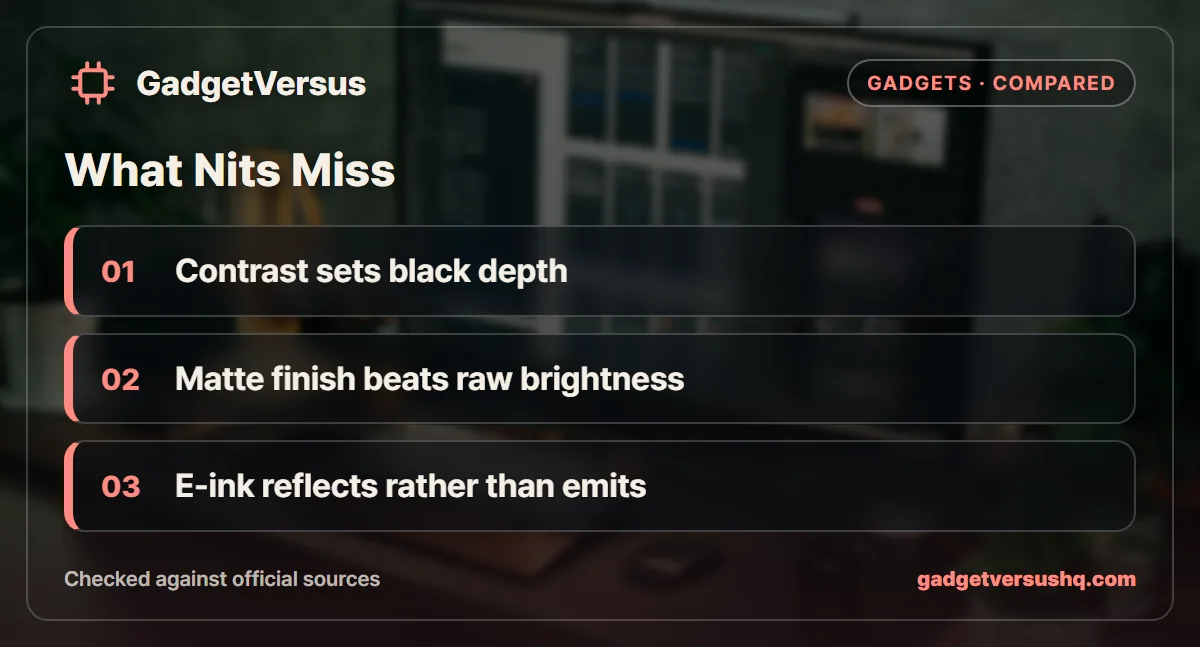
Two panels can quote the same brightness and look nothing alike. Contrast decides how deep the dark parts go, and Apple quotes a 1000000 to 1 contrast ratio for the MacBook Pro XDR display alongside its nit figures.
Surface finish matters just as much outdoors. A matte coating scatters reflections and can beat a brighter glossy panel in a sunny room, which no brightness number will predict.
Panel technology sets the shape of the curve too. An OLED can hit a searing highlight in a small area yet pull back on a full white page, while an LCD backlight holds a flatter, less dramatic level. We compare those behaviours in OLED against IPS for a home office.
E-ink sits outside this whole conversation. It reflects room light instead of emitting its own, so a brightness figure for a reader describes the front light rather than the page, a difference we cover in e-ink against LCD for reading.
The Unit cd per m2 on a Monitor Spec Sheet Is the Same Thing
Monitor makers rarely print the word nits. They print candelas per square metre instead, and 1 cd per m2 equals exactly 1 nit, so a 350 cd per m2 monitor and a 350 nit monitor are identical claims.
The unit changes, and so does the honesty of the context. Monitor sheets usually quote a single typical figure with no peak alongside it, which is easier to compare across brands than a phone spec with three tiers.
Watch for the exception on HDR monitors. A display badged with an HDR certification may quote a peak figure for a small window while its everyday full screen level sits much lower, which is the same trick phones play.
Brightness Is a Battery Setting Before It Is a Comfort Setting
The screen is one of the biggest power draws on a laptop or a phone. Every step up the brightness scale costs runtime, and the top of the scale costs the most because panels grow less efficient as they push harder.
That is the quiet reason automatic brightness exists. It is not only about your eyes, it is about spending the battery on the moments that need it, such as a sunny street rather than a dim room.
If your battery drops faster than it used to, check the brightness slider before you blame the cell. A phone held near maximum all day is a different device from the same phone on automatic.
Which Brightness Rating Fits Your Room
Desk worker in a normal office: Ignore peak figures and read the typical or SDR line. An ordinary office rarely needs more than that line offers, and a matte finish will do more for your eyes than a bigger number.
Anyone whose desk faces a window: Read the sustained full screen figure rather than the peak. Peak brightness applies to highlights, and a white document is the opposite of a highlight.
Commuters and outdoor phone users: The peak outdoor number is the one that counts, and a higher one shows its worth on a sunny platform. This is the only case where the headline figure is the right figure.
Photo and video editors: Sustained brightness plus contrast beat peak every time. The MacBook Pro pairing of 1000 nits sustained XDR with a 1000000 to 1 contrast ratio is the shape to look for.
Night readers: Check the minimum, not the maximum. A published floor of 1 nit tells you the screen can get properly dim, and a panel with no stated minimum often stops far too bright.
Reading a Spec Line Before You Pay for Peak Brightness
Look for the qualifier attached to every number, since the word beside the figure carries most of the meaning. Typical, sustained, peak, HDR, and outdoor are five different promises.
Prefer figures that name the test conditions. A brand that publishes a full screen sustained value is telling you something checkable, while a bare peak number can describe a tiny patch for a moment.
Then ask where the screen will live. A 3000 nit phone is wasted on someone who reads indoors, and a 300 nit monitor is misery beside a south facing window.
The Number Worth Comparing When Two Screens Look Alike
Nits describe emitted light and nothing else. They say nothing about contrast, colour, reflections, or how a panel behaves when the whole screen turns white.
Pick the qualifier that matches your room first, then compare like with like. Typical against typical, sustained against sustained, and peak outdoor only if you genuinely work in the sun.
Do that and the spec sheet stops being a contest of big numbers. It becomes a short list of promises you can check against the place you actually sit.
How far you sit also decides whether resolution is worth paying for. Our breakdown of whether a 4K monitor is wasted at your desk distance turns pixel density into the distance where extra pixels stop being visible.
FAQ
How many nits do I need for a monitor?
Read the typical or SDR line rather than any peak, and match it to your room light. Apple's Studio Display lists 600 nits, and a desk facing a bright window is the case that benefits most from a higher sustained figure.
Why does my phone say 3000 nits but look dim indoors?
That figure is a peak outdoor number reserved for bright sunlight. Apple lists the iPhone 17 at 1000 nits typical alongside the 3000 nit outdoor peak, and the typical figure is the one that describes a desk.
Is a nit the same as a lumen?
No. A nit measures light leaving a surface per unit of area, which suits screens, while a lumen measures the total light output of a source such as a projector or a bulb. Comparing the two numbers directly tells you nothing useful.
Why do reviewers measure lower brightness than the manufacturer?
Reviewers usually light a large part of the panel, while peak figures often describe a small bright patch. VESA's DisplayHDR 1000 tier asks for 1000 nits on an 8 percent centre patch but only 500 nits on a full white screen.
Does higher brightness wear an OLED screen out faster?
Running any panel at its limit all day creates more heat and more wear, which is one reason phones reserve the brightest state for sunlight and short bursts. Leaving automatic brightness on keeps the screen bright only when the room demands it.
Sources
- Apple: iPhone 17 Technical Specifications — checked 2026-11-05
- Apple: MacBook Pro Technical Specifications — checked 2026-11-05
- Apple: Studio Display Technical Specifications — checked 2026-11-05
- VESA DisplayHDR: Performance Criteria — checked 2026-11-05
Some links may be affiliate links. We may earn a commission at no extra cost to you.
How this article was made: it was drafted with AI assistance from the official sources listed above, and its figures were checked against those pages on the dates shown. It is not based on personal hands-on testing.
Comments
Post a Comment