Why a Smartwatch Rated for 24 Hours Is Dead by Dinner

Most smartwatches that die early are not faulty. They are running a heavier day than the one in the battery test, and the two biggest extra loads are GPS workouts and the screen. Apple’s 24-hour rating for Series 12 assumes one 60-minute workout. Apple also rates the same watch at up to 10 hours of workout tracking, so every hour of phone-free running uses about a tenth of a full charge.
That one number explains most “it was fine last month” complaints. Add a second workout, leave the screen always on, or walk away from your phone, and the 24 hours shrinks fast.
What Apple’s 24 Hours Assumes About Your Day
Apple publishes the test behind the number on its Apple Watch battery page. For Series 12, the 24 hours is 18 hours of normal use plus 6 hours of sleep tracking. The normal use is 300 time checks, 90 notifications, 15 minutes of app use and one 60-minute workout with music played over Bluetooth.
The phone is part of the test too. The GPS model stays connected to an iPhone over Bluetooth the whole time. The cellular model spends 4 hours on cellular and 20 hours on the iPhone link.
Now compare a busy day. If you get 200 notifications instead of 90, that is about 2.2 times the alerts in the test. Forty-five minutes in watch apps is three times Apple’s 15. Apple does not publish what each alert costs, so those ratios cannot be turned into exact lost hours, but they show how far an ordinary workday can sit from the lab day.
The other models follow the same pattern. Apple rates SE 3 at up to 18 hours on a similar day without sleep tracking, and Ultra 4 at up to 50 hours across a two-day test with two workouts.
How Much One Workout Takes From a Full Charge
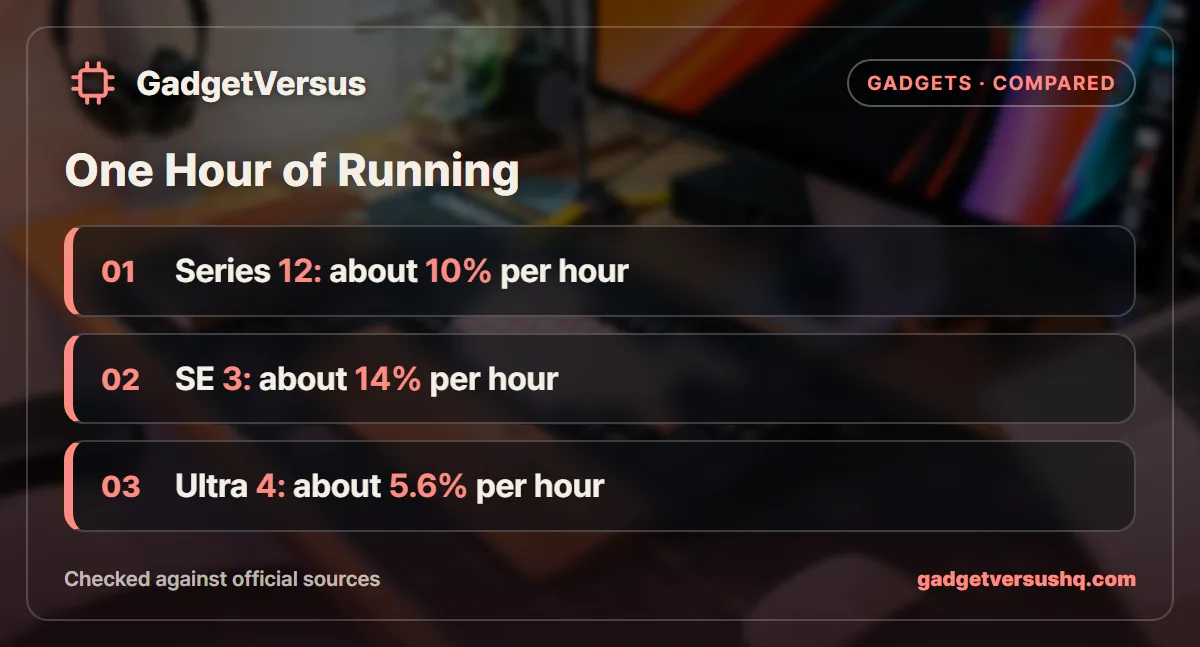
The workout rating is the most useful figure on the page, because it lets you price exercise in battery. Apple measures it on an outdoor run with the heart rate sensor on and no iPhone, so the watch does its own GPS.
Dividing a full charge by the rated workout hours gives the share used per hour of running.
- Series 12: 100% ÷ 10 hours = about 10% per hour.
- SE 3: 100% ÷ 7 hours = about 14% per hour.
- Ultra 4: 100% ÷ 18 hours = about 5.6% per hour.
Across Apple’s Series 12 test day, the average is 100% ÷ 24 hours, about 4.2% per hour. An hour of running therefore costs roughly what 2.4 hours of the test day costs. Add a 90-minute run on top of the day Apple tested and you spend about 15% more than the rating allows. That is enough to turn a watch that lasts until bed into one that dies after dinner.
These are “up to” figures from Apple’s own tests, so treat them as a ceiling. Cold weather, an older cell or streaming music over cellular will push the real share higher.
A Garmin Week Worked Out Hour by Hour
Garmin rates its watches by mode, which makes the cost of each choice easy to see. The Forerunner 970 manual lists up to 15 days in smartwatch mode, which is 360 hours, and a separate figure for each satellite setting.
| Mode on the Forerunner 970 | Rated hours | Share of a charge per hour | Equal to this much smartwatch time |
|---|---|---|---|
| Smartwatch mode | 360 | 0.28% | 1 hour |
| GPS Only | 26 | 3.8% | about 14 hours |
| All + Multi-Band | 21 | 4.8% | about 17 hours |
| All + Multi-Band with music | 12 | 8.3% | 30 hours |
The last column is 360 divided by the rated hours. One hour of a multi-band run with music uses as much charge as 30 hours of ordinary wear.
Now run a week.
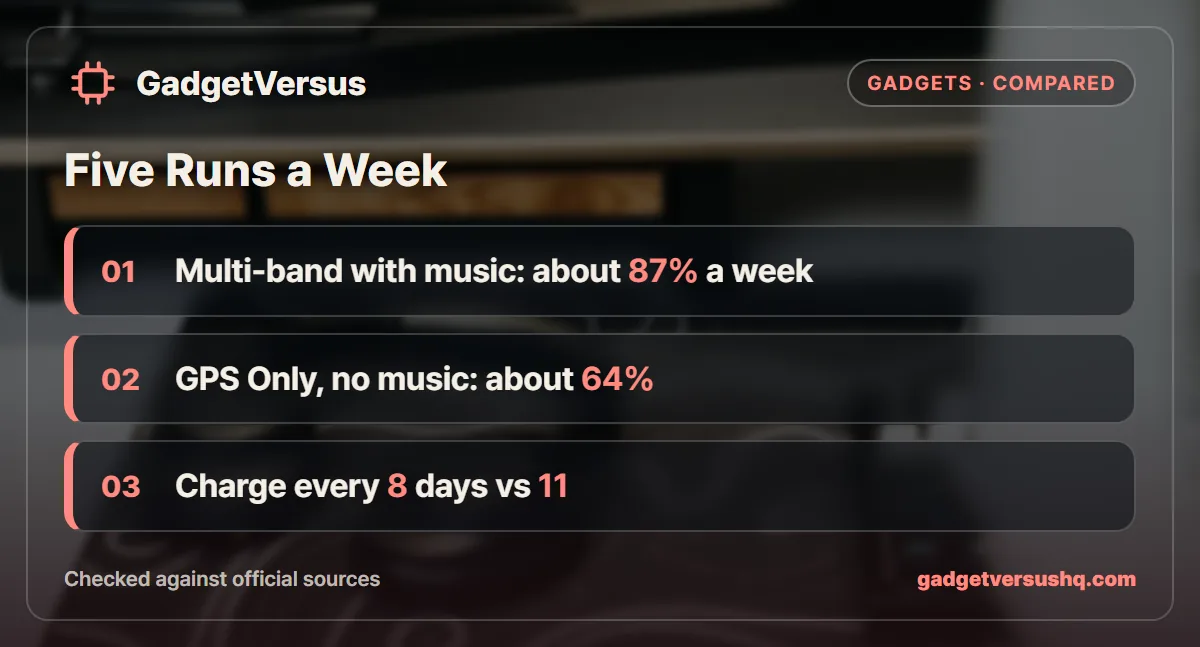
Say you run five hours a week in All + Multi-Band with music and wear the watch for the other 163 hours. The runs take 5 ÷ 12, about 42% of a charge. The rest of the week takes 163 ÷ 360, about 45%. That is about 87% a week, so a watch rated for 15 days needs the charger roughly every 8 days.
Switch the same runs to GPS Only without music and they take 5 ÷ 26, about 19%. The week drops to about 64%, and the gap between charges stretches to around 11 days. Music is a bigger jump than the satellite setting, so load a playlist only for the runs where you will listen to it.
The Screen Settings That Decide a Desk Day
If you do not run and the watch still fades by evening, look at the screen first. Always-on display keeps a dimmed face lit all day. Raise-to-wake lights the screen each time you reach for a door handle. Bright photo faces cost more than dark ones on an OLED panel, because each lit pixel draws power on its own.
Change one thing per day so you can see which one helps. Turn always-on off for a day. Then drop brightness a step. Then cut watch notifications to the few apps you actually act on.
Low Power Mode is the bigger lever when you need it. Apple rates Series 12 at up to 38 hours in Low Power Mode against 24 hours normally, about 58% more time, even though Apple’s Low Power test day includes 530 time checks instead of 300.
Two drains never show on screen. A weak Bluetooth link, from leaving the phone in another room, makes the watch work harder to stay connected. A cellular model away from the phone in poor coverage keeps searching for a signal. If you are deciding whether you need cellular at all, our look at LTE versus Bluetooth-only smartwatches covers what it buys.
Health sensors get more blame than they earn, since they sample in short bursts while the display runs for hours. If you keep blood oxygen tracking on, why smartwatch blood oxygen readings swing explains which of those numbers deserve attention.
When the Drain Is the Cell, Not the Settings
Lithium cells lose capacity as they age, and a watch charged every day goes through charge cycles quickly. Ageing shows as a slow slide over months. A sudden drop overnight points to something that changed, such as a software update or a new watch face, and is worth giving a few days before you blame the battery.
Heat is the other cause you control. Apple’s battery performance guidance says Apple Watch works best at 32° to 95° F (0° to 35° C) ambient temperatures, and that ambient temperatures above 95° F (35° C) can permanently damage battery capacity. A watch left on a sunny car dashboard loses capacity faster than any setting can make up.
If your watch shows a maximum capacity figure and it is still high, the cause is a setting. If it is low and the watch is three years old, settings can only work around a hardware limit. That is the point to price a battery service against a newer model, and our smartwatch roundup lists current models to compare.
Sources
- Apple Watch battery life and testing conditions — checked 2026-11-21
- Apple: Maximizing battery life and lifespan — checked 2026-11-21
- Garmin Forerunner 970 Owner's Manual: Battery Information — checked 2026-11-21
Some links may be affiliate links. We may earn a commission at no extra cost to you.
How this article was made: it was drafted with AI assistance from the official sources listed above, and its figures were checked against those pages on the dates shown. It is not based on personal hands-on testing.
Comments
Post a Comment